
✅ Updated on 24.05.2026

What Is MDAC?
MDAC stands for the Malaysia Digital Arrival Card — an online arrival form required for entering Malaysia. Since January 1, 2024, most foreign travelers must complete the MDAC before passing through immigration control.
You can fill it out either upon arrival at the airport or online within 72 hours before your flight through the official Malaysian immigration website imigresen-online.imi.gov.my/mdac/main.

MDAC Application Example
You can complete the Malaysia Digital Arrival Card (MDAC) on both a computer and a smartphone. However, be prepared for a poorly designed website:
- Copy and paste is disabled, so you’ll need to enter all information manually.
- The site is not well optimized for mobile devices.
That’s why I’ve included a step-by-step video tutorial below, followed by a detailed written guide with screenshots ⬇️
Time needed: 5 minutes
- Open the Official MDAC Website
Go to the official MDAC website imigresen-online.imi.gov.my/mdac/main and click the Register button.

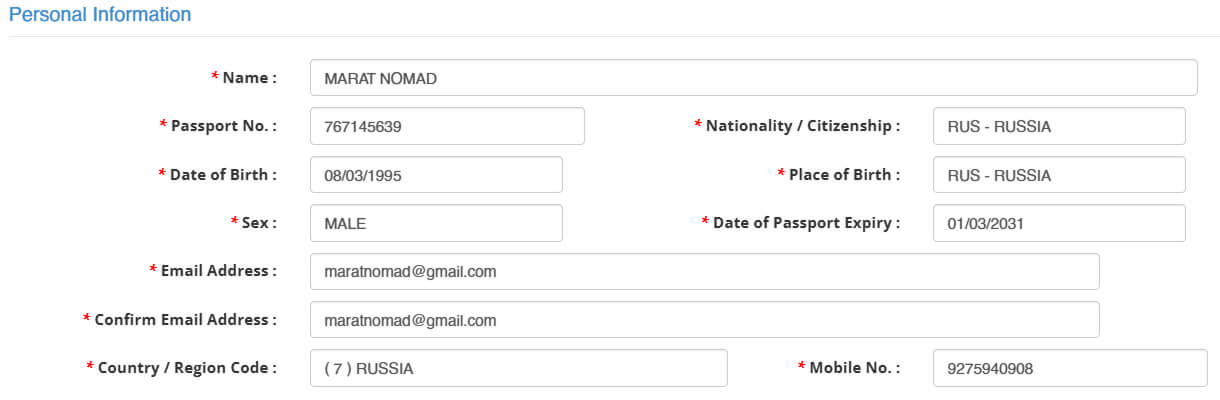
- Fill In Your Personal Information
Enter your passport details, email, and phone number.
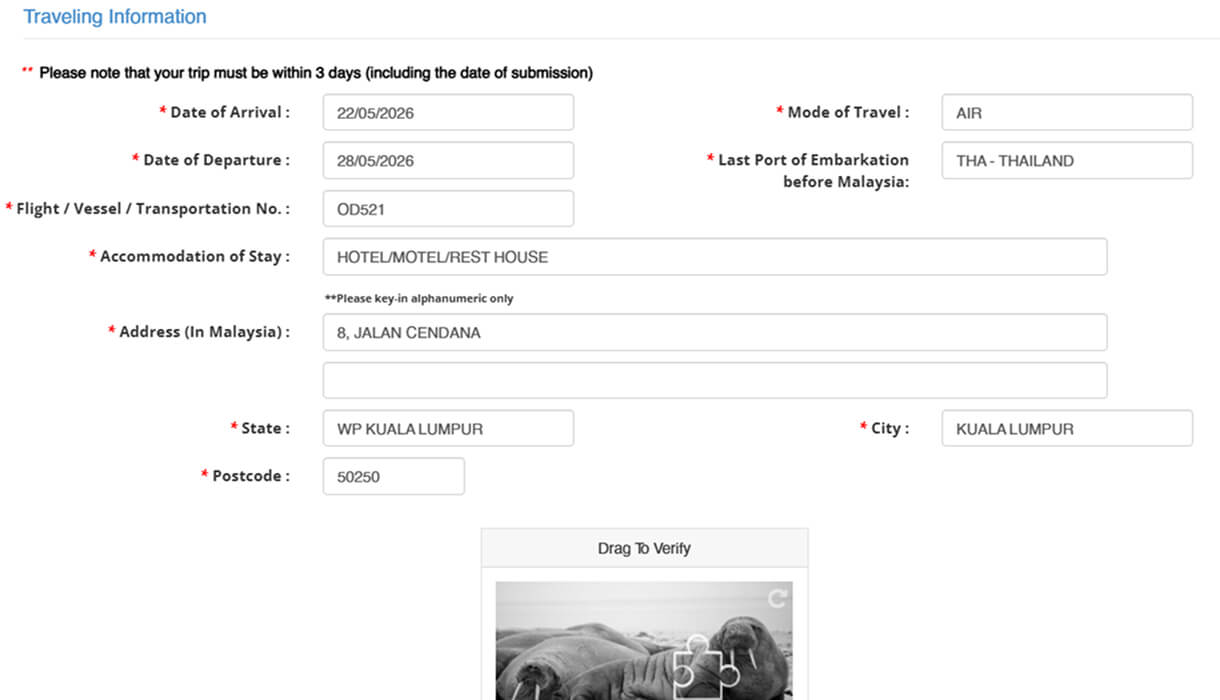
- Enter Your Travel Information
Provide your arrival and departure dates for Malaysia, select your method of arrival, and enter your hotel or accommodation address. Then complete the captcha verification.
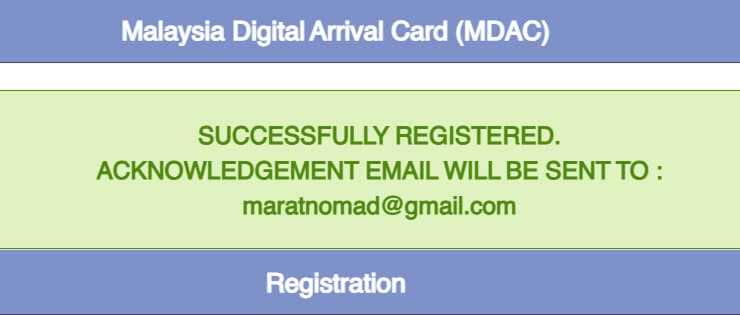
- Submit the Form
Click the Submit button. If everything is correct, you should see a green success notification confirming that your registration was completed.
- Check Your Email
You’ll receive an email containing a PIN code. You’ll need this code for the next step.

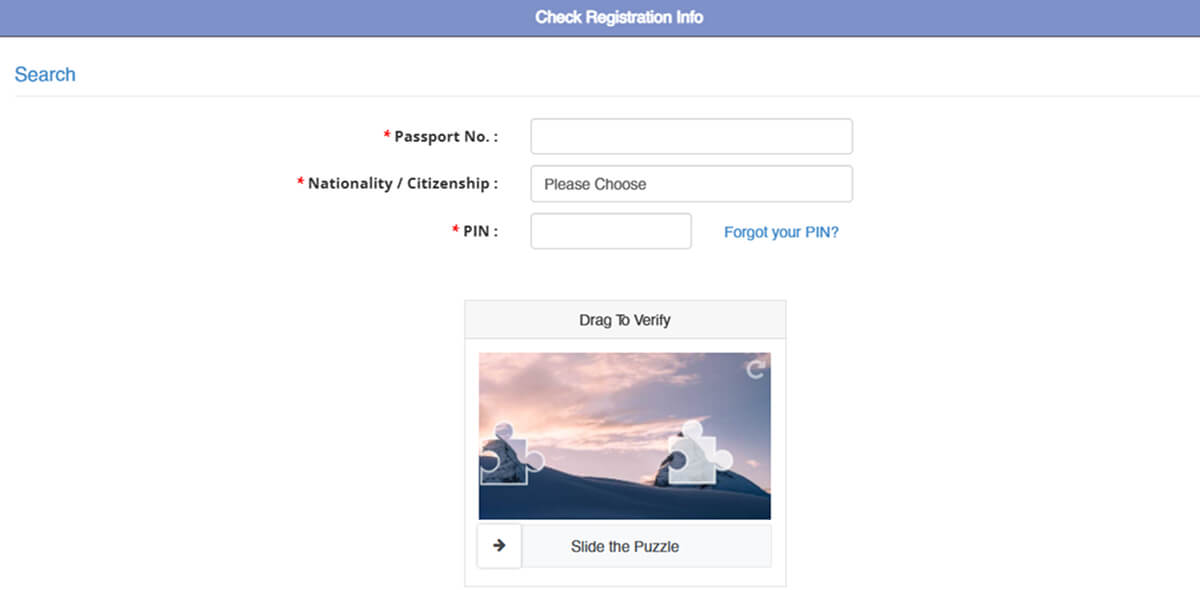
- Verify Your MDAC Registration
Open the Check Registration page imigresen-online.imi.gov.my/mdac/register?viewRegistration. Enter your passport number, nationality, and the PIN code from the email. Complete the captcha and click Submit.
- Download Your MDAC
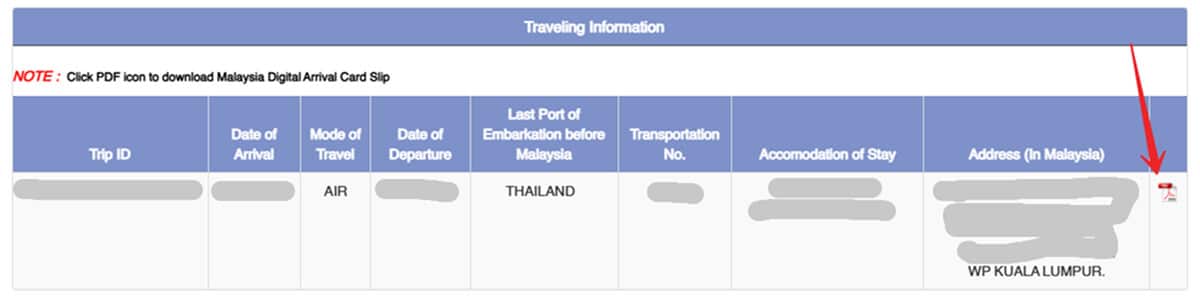
Scroll down the page and click the PDF icon to download your MDAC confirmation. Save the file on your phone so you can show it at immigration when entering Malaysia.


Frequently Asked Questions
Yes, you can. I’ve personally tested this myself.
You must complete the Malaysia Digital Arrival Card within 72 hours before entering Malaysia. If you try to submit it earlier, the system usually won’t let you select your arrival date.
Yes, you can complete it upon arrival. However, it’s much better to do it before your flight to avoid wasting time at the airport, especially if you run into internet connection issues.
